
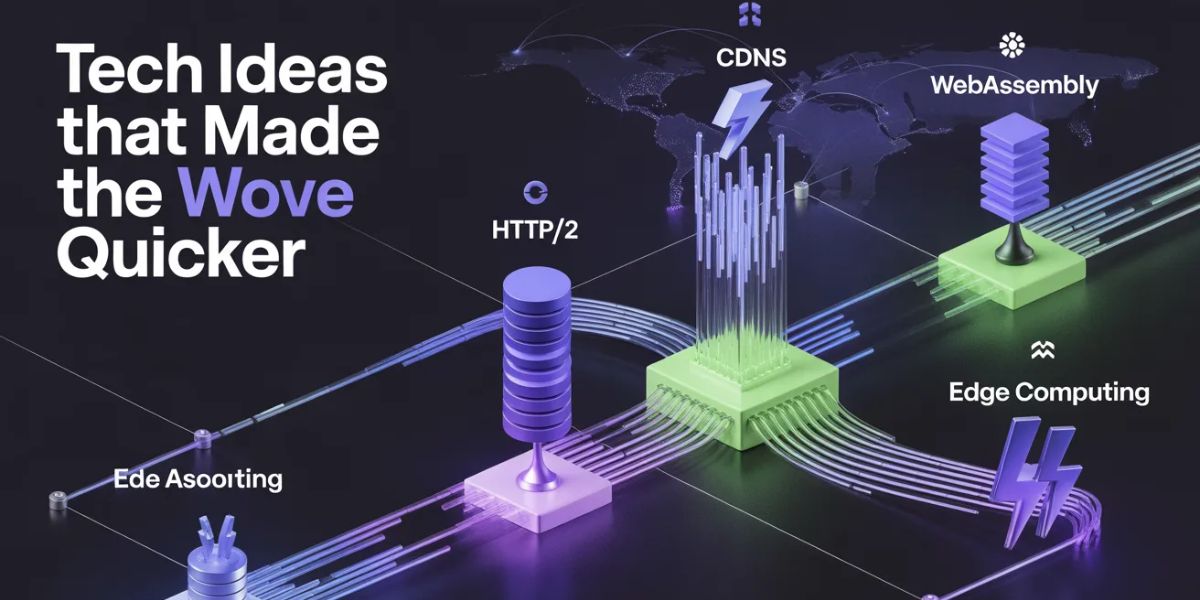
The web didn’t get fast overnight. Behind every instant page load today is decades of quiet engineering protocols rewritten, servers redistributed, browsers rebuilt from scratch. Tech ideas that made the web move quicker didn’t arrive as one big breakthrough. They came as a series of targeted fixes: shrink the data, shorten the distance, eliminate unnecessary round trips.
Early websites ran on infrastructure that couldn’t handle what users expected even by 2005. What changed everything was a combination of content delivery networks, smarter HTTP protocols, browser engine optimization, data compression, and eventually edge computing each solving a problem the previous idea couldn’t. This article breaks all of it down, clearly.
How Tech Ideas Made the Web Move Quicker 10 Innovations That Actually Mattered

The web didn’t get fast all at once. Speed came in layers protocol by protocol, server by server, idea by idea and most people browsing today have no idea how much engineering sits underneath a two-second page load.
Tech ideas that made the web move quicker refers to the set of networking protocols, delivery architectures, browser technologies, and compression strategies that collectively reduced page load times from 10+ seconds (mid-1990s dial-up era) to under 500 milliseconds for most modern sites. Each idea solved a specific bottleneck and they still compound on each other today.
This isn’t a timeline of trivia. It’s an explanation of why these innovations worked, what problem each one actually solved, and what it means for the web you use right now.
The Problem Nobody Talks About: Latency vs. Bandwidth
Most people assume faster internet = faster websites. That’s only half true.
Bandwidth is how much data can travel at once. Latency is how long it takes for a single packet to make a round trip between your device and a server. You can have gigabit internet and still experience a slow website if the server is physically 12,000 kilometers away.
Here’s the thing: most of the innovations on this list are latency fixes, not bandwidth fixes. That distinction is what most explainer articles get completely wrong and it’s why simply upgrading your broadband plan doesn’t always make websites feel faster.
According to the Google/Deloitte Web Performance Study (2023), a 0.1-second improvement in load speed can lift retail conversion rates by up to 8%. That’s not about raw connection speed it’s about architecture.
1. HTTP/2 and HTTP/3 The Protocol Overhaul
The original HTTP/1.1 protocol in use from 1997 well into the 2010s required browsers to open a separate connection for every single resource on a page. Load a page with 80 assets (images, scripts, fonts, stylesheets)? That’s 80 sequential handshakes. Painfully inefficient.
HTTP/2, standardized in 2015 by the IETF, introduced multiplexing the ability to send multiple requests over a single connection simultaneously. It also added header compression via HPACK and server push, where a server can send files to your browser before you even ask for them.
HTTP/3 went further. Instead of TCP as its transport layer, it runs on QUIC a protocol we’ll cover separately below. The critical improvement: HTTP/3 eliminates “head-of-line blocking,” the bug where one slow packet stalls everything behind it in the queue.
As of 2024, HTTP/3 is supported by all major browsers and used by over 30% of the top 10 million websites, according to W3Techs data.
Quick Comparison HTTP Protocol Versions
| Protocol | Best For | Key Benefit | Limitation |
| HTTP/1.1 | Legacy systems, simple sites | Universal compatibility | One request per connection |
| HTTP/2 | Most modern websites | Multiplexing, header compression | Still relies on TCP |
| HTTP/3 / QUIC | High-latency or lossy networks | Zero head-of-line blocking | Newer, less server-side support |
2. Content Delivery Networks Physics, Solved Differently

You can’t make data travel faster than light. But you can shorten the distance it has to travel.
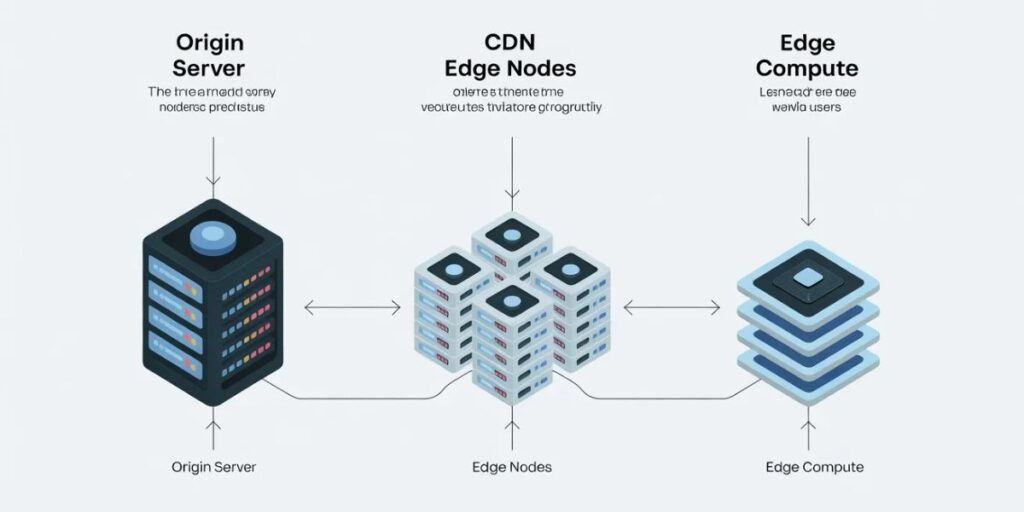
That’s exactly what Content Delivery Networks (CDNs) do. Instead of serving all users from one origin server, CDNs cache your static content images, scripts, videos across hundreds of edge servers distributed globally. A user in Karachi doesn’t pull a file from a data center in Virginia. They pull it from the nearest edge node, maybe in Dubai or Mumbai.
Cloudflare, launched in 2010, and Akamai, which pioneered CDN infrastructure back in 1999, are the two names that shaped this space most dramatically. Akamai’s network alone handles between 15–30% of all global web traffic on any given day, per their own infrastructure reports.
The performance gain is measurable and consistent. Akamai’s internal research found CDN delivery can reduce latency by 50% or more for geographically distant users.
Some experts argue that CDNs are becoming less essential as edge computing matures. That’s valid for large enterprises with resources to deploy their own edge infrastructure. But if you’re running a standard content website with global visitors, a CDN remains the single highest-ROI performance investment you can make.
3. The QUIC Protocol The One Competitors Skip
QUIC isn’t just an upgrade. It’s a rethink of how internet connections are established.
Developed by engineers at Google starting around 2012 and standardized as RFC 9000 in 2021, QUIC runs over UDP instead of TCP. This is a bigger deal than it sounds. TCP requires a handshake process before any data transfers under HTTPS, that handshake adds multiple round trips before a byte of content reaches you. QUIC collapses this into a single round trip on new connections, and zero round trips on returning connections (0-RTT resumption).
It also bakes in encryption natively. With TCP + TLS, encryption is a separate layer. With QUIC, it’s inseparable from the protocol itself, which eliminates an entire category of overhead.
Or maybe I should say it this way: QUIC doesn’t just speed up the web it makes the web more resilient. Switch from Wi-Fi to mobile data mid-session? A TCP connection dies. QUIC connections survive network transitions through a concept called connection migration.
Google reported that YouTube rebuffering rates dropped by roughly 15–18% after switching video delivery to QUIC in internal testing. That’s not a rounding error.
4. Browser Engines The Invisible Speed Layer
The browser itself is a performance engine. Not just a display tool.
When Google launched Chrome in 2008 with the V8 JavaScript engine, it changed the benchmark for what browser-side code execution should feel like. V8 doesn’t interpret JavaScript line by line it compiles it to native machine code using just-in-time (JIT) compilation, then optimizes frequently-run code paths further in the background.
The result? JavaScript that used to take 800ms to execute in 2007 now runs in under 50ms in a modern browser on equivalent hardware.
Modern engines V8 (Chrome/Edge), SpiderMonkey (Firefox), JavaScriptCore (Safari) also use speculative execution, inline caching, and hidden class optimization. These aren’t buzzwords. They’re the reason Gmail, Figma, and Google Docs run inside a browser tab without feeling sluggish.
What most guides skip: browser engines also handle rendering optimization. Techniques like GPU-accelerated compositing, lazy-loading image decoding, and off-main-thread paint allow complex visual pages to render without blocking user interaction which is why Google’s Core Web Vitals metric Interaction to Next Paint (INP) matters so much for perceived speed.
5. Compression Algorithms Gzip, Brotli, and Why Size Matters
Speed isn’t only about connection quality. Sometimes the answer is just: send less data.
Text-based web assets HTML, CSS, JavaScript compress remarkably well. Gzip, introduced in the 1990s, can reduce a typical JavaScript file by 60–80%. Brotli, released by Google in 2015 and now supported across all major browsers, compresses 15–25% better than Gzip for web content at comparable speeds.
The adoption math is straightforward. A 500KB JavaScript bundle compressed with Brotli to ~120KB saves 380KB on every page load, for every user, across every network. At scale, that’s gigabytes per day.
Modern image formats push this further. WebP reduces image file sizes by roughly 25–34% compared to JPEG at equivalent quality. AVIF, backed by the Alliance for Open Media, achieves even better ratios often 50% smaller than JPEG with broad browser support as of 2023.
Quick note: compression only helps on the wire. Once files are cached in the browser, compression stops being a factor which is why caching strategy matters separately.
6. Browser Caching The Repeat Visit Multiplier
A first-time visit to a website might require downloading 2MB of assets. The second visit? Ideally near zero.
Browser caching stores previously downloaded resources images, fonts, scripts, stylesheets in local memory. Cache headers (specifically Cache-Control and ETag) tell the browser exactly how long to keep each file before checking for updates.
Done well, caching makes repeat visits feel instant. Done poorly or not at all users re-download the same 800KB hero image every single time they return.
The nuance here is cache invalidation. When developers update a file, old cached versions can persist on users’ devices. The standard solution is cache-busting via filename hashing appending a unique hash to filenames (e.g., main.a3f92b.js) so the browser treats updated files as new assets.
I’ve seen conflicting data on optimal cache durations some sources say 7 days for static assets, others advocate for immutable caching (1 year) with aggressive cache-busting on deploy. My read: immutable + hash-based invalidation is the safer default for most modern build pipelines.
7. WebAssembly The Compiler That Came to the Browser
Look if you’re a developer trying to understand why modern browser apps feel closer to native software than ever before, WebAssembly is the answer.
WebAssembly (Wasm) is a binary instruction format that runs in browsers at near-native speed. Languages like C, C++, Rust, and Go can compile to Wasm, enabling compute-intensive applications 3D rendering, video editing, scientific simulations to run inside a tab without plugins.
Figma’s vector graphics engine runs on WebAssembly. Google Earth on the web uses it. AutoCAD has a browser version powered by it.
The performance gap between JavaScript and Wasm varies by workload, but for CPU-intensive tasks, Wasm can execute 10–50x faster than equivalent JS code, per benchmarks published in the WebAssembly specification documentation and Mozilla research.
This matters for web speed in a specific way: tasks that previously required round trips to a server (image processing, PDF rendering, encryption) can now run entirely client-side, eliminating network dependency entirely.
8. AJAX and Asynchronous Loading Killing the Full Page Reload
Before AJAX, every user interaction with a web page triggered a full reload. Click a button the entire page disappeared and rebuilt itself. Check a form field same. This wasn’t just slow. It was architecturally backward.
AJAX (Asynchronous JavaScript and XML, though JSON replaced XML quickly) allowed pages to request and update fragments of data in the background without reloading the whole document. Gmail in 2004 was the first major product that showed the world what AJAX-driven interfaces could feel like.
It’s not glamorous. But AJAX is the reason you can scroll an infinite feed, type into an autocomplete search box, or submit a form without losing your page state. The perceived speed improvement from eliminating full reloads is dramatic even when the underlying network speed is identical.
Modern frameworks like React, Vue, and Svelte are AJAX architecture taken to its logical conclusion: component-level rendering updates where only the changed part of the DOM refreshes.
9. Cloud Computing and Edge Infrastructure
Traditional web hosting had a fixed ceiling. Rent a server, configure its capacity, and hope your traffic never exceeds it. Traffic spikes product launches, viral posts, news events took down websites that weren’t prepared.
Cloud computing, led by AWS (launched 2006), Azure, and Google Cloud, introduced elastic scaling: infrastructure that grows with demand and shrinks when traffic subsides. You pay for what you use. You don’t pre-provision for peak load.
Edge computing extended this concept further. Rather than running all compute in centralized data centers, edge platforms like Cloudflare Workers and AWS Lambda@Edge execute code on servers geographically close to users. A serverless function triggered by a user in Lagos can run on a Cloudflare edge node in Johannesburg, not a data center in Virginia.
The latency impact is measurable: Cloudflare’s internal data suggests edge-computed responses can be 2–5x faster than equivalent origin-server responses for intercontinental requests.
10. Progressive Web Apps and Offline Caching
Progressive Web Apps (PWAs) brought a concept native apps had always taken for granted local caching to the web.
Through Service Workers, a JavaScript API, PWAs intercept network requests and serve cached responses when connectivity is poor or absent entirely. A user on a spotty mobile connection in a low-coverage area can still load a PWA and interact with previously visited content.
Twitter Lite, launched as a PWA in 2017, reduced data usage by 70% and increased pages per session by 65% compared to their native mobile web, according to Google’s case study on the rollout.
PWAs also load instantly on repeat visits because the application shell the UI skeleton is cached locally after the first load. The data fills in asynchronously. For users on mobile networks, this is one of the most tangible speed improvements available without touching server infrastructure at all.
Voice Search Q&A
What are the tech ideas that made the web move quicker?
The main ones are HTTP/2 and HTTP/3, Content Delivery Networks, QUIC protocol, browser JavaScript engines, compression algorithms like Brotli, browser caching, WebAssembly, AJAX, cloud/edge computing, and Progressive Web Apps. Each solved a specific bottleneck.
How does a CDN speed up a website?
A CDN stores copies of your site’s assets on servers worldwide. Users download content from the nearest server instead of a distant origin, cutting latency by 50% or more for international visitors.
What’s the difference between HTTP/2 and HTTP/3?
HTTP/2 allows multiple simultaneous requests over one TCP connection. HTTP/3 replaces TCP with QUIC, eliminating head-of-line blocking and reducing connection setup time especially useful on unstable or high-latency networks.
Why does latency matter more than bandwidth for web speed?
Bandwidth determines how much data travels at once; latency determines how long each round trip takes. Most web speed problems come from too many round trips, not too little capacity which is why protocol and architecture changes matter more than raw connection upgrades.
When should I use WebAssembly instead of JavaScript?
Use WebAssembly for compute-intensive tasks image processing, encryption, simulations, game engines. For standard DOM manipulation and UI logic, JavaScript is simpler and sufficient. Wasm excels when raw execution speed matters more than developer convenience.







One Comment