

This guide answers a simple question: which task is a generative ai task, and which task is not? You will learn what generative AI is, how it creates text, images, code and audio, how it differs from traditional AI, and see 7 clear examples for beginners — plus the risks to watch for and 5 safe first steps. It builds on our beginner guides to artificial intelligence and the different types of AI, and it connects directly to intelligent automation, which uses generative AI inside real business workflows.
Which Task Is a Generative AI Task? A Beginner’s Guide With Examples
Introduction
You have probably heard the words “generative AI” many times. A friend uses it to write an email. A designer uses it to create a picture. A student uses it to explain a difficult topic. But what does it actually do — and which task is a generative ai task?
The short answer: a generative AI task is any task where the AI creates something new — new text, a new image, new code, or new audio — from your instructions. If the job is to make something that did not exist before, it is probably a generative AI task. If the job is only to sort, calculate, or look something up, it probably is not.
This guide explains generative AI in plain English. No technical background is needed. By the end, you will know what it can do, how it works, where it helps, and where you should still check its work.
What Is Generative AI?
Generative AI, sometimes called gen AI, is artificial intelligence that can create original content — text, images, video, audio, or software code — in response to a user’s prompt or request. That is IBM’s definition, and it is the clearest one for beginners: you give instructions, and the AI makes something new.
It is different from the AI most people met first. Older AI mostly analysed things: it sorted emails into spam and inbox, recognised a face in a photo, or predicted whether it would rain. Generative AI does the opposite job. It produces. Ask it to write a birthday message, draw a logo idea, or explain photosynthesis to a 10-year-old, and it creates a fresh answer each time.
The tools you have heard of are all generative AI: ChatGPT, Google Gemini, Anthropic’s Claude and Microsoft Copilot for text, and Midjourney and DALL-E for images. They became widely known after ChatGPT’s launch in late 2022, but the technology behind them had been developing for years.
To place generative AI in the bigger picture, start with our beginner guide: Artificial Intelligence: A Helpful 2026 Guide. Generative AI is one type of AI, not the whole of AI — see Different Types of AI Explained With Simple Examples for the full family.
Which Task Is a Generative AI Task?
This is the question behind the whole article, so here is a clear test: if the task ends with something new being created, it is a generative AI task.
Yes — these are generative AI tasks:
- Writing and drafting — write an email, a product description, a cover letter, a story, or a first draft of a blog post.
- Summarising — turn a long article, meeting notes, or a research paper into a short summary in plain words.
- Explaining — explain a difficult topic in simple words, or explain it as if the reader is 10 years old.
- Translating and rewriting — translate text into another language, or rewrite the same message in a formal or friendly tone.
- Creating images — make an illustration, a logo idea, a social media picture, or a product photo background from a text description.
- Writing code — write a small piece of code, explain what a piece of code does, or help find a mistake in it.
- Making audio and music — create a voiceover script, a short song, or background music from a description.
- Brainstorming — give 10 names for a business, 5 ideas for a birthday party, or 20 headlines for an article.
- Planning and outlining — turn a rough idea into a step-by-step plan, a study schedule, or a presentation outline.
- Answering with new text — draft replies to customer questions, with the wording written fresh each time.
No — these are usually not generative AI tasks:
- Sorting and organising — putting files in folders or sorting a spreadsheet by date. That is normal automation, not generation.
- Calculating — adding numbers, working out a percentage, or converting currencies. A calculator does that better, and generative AI can make arithmetic mistakes.
- Looking up a fact — checking today’s weather, a live stock price, or a train time. Generative AI is trained on older data and can give out-of-date answers.
- Controlling a machine — switching lights on and off or driving a car. That is a different kind of AI and robotics.
- Storing information — saving a password or a customer record. Generative AI creates; a database stores.
A useful rule: if you can describe the result you want in a sentence — “write me a friendly reply to this customer” — it is probably a generative AI task. If the result is a number, a file, or a fact you need to be exactly right, use a specialised tool instead, and use generative AI only to explain or draft around it.
How Does Generative AI Work? 3 Simple Steps

You do not need maths to understand this. IBM describes generative AI as working in three phases: training, tuning, and generation.
1. Training — learning the patterns
The model is trained on very large collections of text, images, code, and audio. During training it does not memorise the data like a database. Instead, it learns statistical patterns: which words usually follow which words, what a cat usually looks like, how a formal email is normally structured. This step takes huge amounts of computing power and is done once, by the company that builds the model.
2. Tuning — learning the job
After training, the model is tuned for a specific use. It is shown examples of good answers and corrected when it goes wrong, often with feedback from real people. This is how a general model becomes a helpful assistant, a coding helper, or an image tool.
3. Generation — creating your answer
When you write a prompt, the model predicts what should come next, one piece at a time — one word after another for text, or one part of an image after another. It is not copying a stored answer. It is building a new one from the patterns it learned, guided by your instructions.
Two ideas explain most of what you see:
- Large language models (LLMs) handle text. They are the engines behind ChatGPT, Gemini, and Claude. They predict the next word based on everything before it, which is why their answers read like fluent human writing.
- Transformers are the architecture behind LLMs. Google introduced them in 2017 in a paper called “Attention Is All You Need.” They let a model pay attention to the important words in a long prompt instead of treating every word equally.
For images, a different method is common: diffusion models start with random noise and slowly shape it into a picture that matches your description, step by step. That is how DALL-E and Midjourney work.
Behind all of this are neural networks — the layered models that learn patterns from data. Generative AI is, in simple terms, a neural network trained to create.
7 Examples of Generative AI for Beginners

1. Writing help
A small business owner asks for a product description for handmade soap. In seconds, she gets three versions — short, friendly, and detailed — and picks the one she likes. She still edits it, but the blank page is gone.
2. Summaries
A student pastes a 20-page article and asks for the five main points in simple words. The summary is not a replacement for reading, but it tells her where to focus.
3. Images for a blog or shop
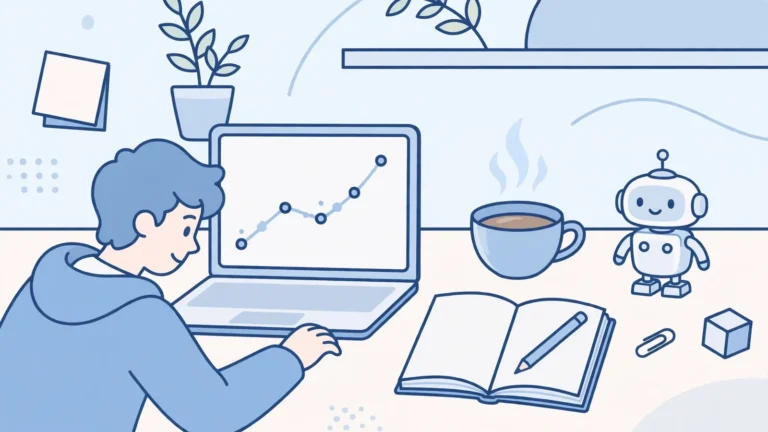
A blogger needs a header image of a quiet morning coffee shop. Instead of searching stock photos for an hour, she describes the scene and gets an original image. This is also how the images in this article series are made — each one is generated from a written prompt, then placed in the section it belongs to.
4. Code help
A beginner learning to code asks the AI to write a small function that sorts a list of names, and then to explain each line. The explanation matters more than the code: it is how beginners actually learn.
5. Customer replies
A shop owner gets the same five questions every day. Generative AI drafts a friendly reply to each one, and the owner checks and sends it. This is one of the simplest uses of intelligent automation — AI writes the draft, automation sends it, and a person stays in charge.
6. Learning and studying
A learner asks the AI to explain the same topic three ways — with an example, with an analogy, and with a quiz. The quiz answers show what still needs work.
7. Everyday planning
Meal ideas for the week from the ingredients in the fridge. A packing list for a trip. A workout plan for a beginner. These are all generation tasks: something new, made from your instructions.
Generative AI vs Traditional AI
The difference is simple: traditional AI mostly decides or predicts, generative AI mostly creates.
| Traditional AI | Generative AI | |
|---|---|---|
| Main job | Analyse, sort, predict, decide | Create new text, images, code, audio |
| Example | Spam filter, face recognition, weather forecast | ChatGPT writing an email, Midjourney drawing a picture |
| Output | A label, a score, a yes/no answer | A new piece of content |
| What it needs | Data to learn patterns from | Data to learn patterns from, plus your prompt |
| Risk if wrong | A wrong prediction or a missed email | A confident-sounding answer that is false |
Most real products now use both. A shop’s chatbot might use traditional AI to understand that a message is a refund request, then generative AI to draft the reply. Knowing what the purpose of AI is helps here: the purpose is not to replace people, but to help them do useful work faster and better.
Popular Generative AI Tools Beginners Should Know
You do not need to try them all. Start with one text tool and one image tool.
- ChatGPT (OpenAI) — the best-known text tool. Good for writing, explaining, summarising, and coding help. A free version is available.
- Google Gemini — Google’s text and image assistant, useful if you already use Google products.
- Claude (Anthropic) — known for long documents and careful, clear writing.
- Microsoft Copilot — built into Microsoft 365 and Windows, useful for work documents and emails.
- Midjourney and DALL-E — image tools. You describe the picture in words; they create it. Midjourney runs through Discord, DALL-E through ChatGPT and other apps.
A beginner tip: pick one tool, learn to write clear prompts for it, and only then try another. The skill is not the tool — it is describing what you want clearly.
What Are the Benefits?
- Speed: A first draft in seconds instead of an hour staring at a blank page.
- Lower cost to start: A small business can draft content, replies, and ideas without hiring for every small task.
- Learning help: Any topic can be explained again, more simply, as many times as needed.
- Creativity: It gives many options quickly — 10 names, 5 headlines, 3 versions — so you can choose instead of inventing from zero.
- Accessibility: People who find writing difficult can get their ideas into words faster.
What Are the Risks and Limits?

Generative AI is useful, but it is not reliable on its own. These are the limits beginners most need to know:
- It can be confidently wrong. Generative AI can invent facts, dates, quotes, and sources that sound real but are not. This is often called “hallucination.” Never publish a fact, price, or statistic from AI output without checking it against a trusted source.
- It can be out of date. A model only knows what it was trained on. It may not know about recent news, new prices, or changes since its training.
- It can repeat bias. Because it learns from large collections of human text, it can repeat stereotypes and unfair assumptions. Check its output the way you would check any other source.
- Privacy matters. Do not paste passwords, bank details, private customer data, or confidential business information into a public AI tool unless you have checked how it stores and uses that data.
- It can be misused. The same technology that makes a nice picture can make a fake photo or a fake voice recording. Treat surprising images and audio with the same doubt you would give any unverified claim.
- It does not understand. A model predicts words; it does not know what they mean in the human sense. That is why a person must stay in charge of anything important.
How to Start Using Generative AI Safely: 5 Simple Steps
- Pick one small task. Summarise one article, or draft one email. Do not start with your most important document.
- Write a clear prompt. Say what you want, who it is for, and how long it should be. Example: “Write a friendly 3-sentence reply to a customer asking where their order is. Keep it simple.”
- Check every fact. If the answer contains a date, a price, a name, or a statistic, verify it from a trusted source before you use it.
- Edit in your own voice. Change the wording so it sounds like you. AI text is a draft, not a finished product.
- Keep a person in charge. Decide who checks the output, what is never automated (refunds, medical advice, legal claims), and how often you review whether the tool is actually saving time.
If it does not save time after a fair test, stop using it for that task. A tool is only useful if it makes the work easier.
Frequently Asked Questions
Which task is a generative ai task?
Any task where the AI creates something new from your instructions — writing, summarising, translating, drawing an image, writing code, composing music, or brainstorming ideas. Sorting files, calculating numbers, and looking up live facts are not generative AI tasks.
Is ChatGPT generative AI?
Yes. ChatGPT is the best-known example. It creates new text in response to your prompt, using a large language model.
Is generative AI the same as AI?
No. Generative AI is one type of AI. Traditional AI analyses and predicts — spam filters and face recognition, for example. Generative AI creates new content. Both belong to the wider AI family.
Can generative AI create images?
Yes. Tools like Midjourney and DALL-E create original images from a written description. They use a method called diffusion, shaping a picture step by step from random noise.
Is generative AI free?
Many tools have a free version with limits, and paid versions with more features. Check the price and the privacy terms before pasting business or personal information into any tool.
Will generative AI replace jobs?
It changes jobs more than it simply removes them. It takes over drafting and routine creation, while people focus on decisions, relationships, and checking quality. How it affects workers depends on how each business uses it — and on keeping a person in charge.
Conclusion
A generative AI task is a creation task. If the job ends with something new — a draft, a summary, an image, a piece of code, a plan — generative AI can probably help. If the job needs an exact number, a live fact, or a decision nobody has checked, use a specialised tool or a person instead.
Start small, write clear prompts, check every fact, and edit the result into your own voice. Used that way, generative AI is a fast drafting partner — not a replacement for your judgment, and not a source of facts on its own. In the next post in this series, we will look at a related building block: what a dataset is in AI, and why the data behind a model matters so much.
Related reading: What Is a Data Set in AI? A Beginner’s Guide





6 Comments